Release Date 30.10.2026
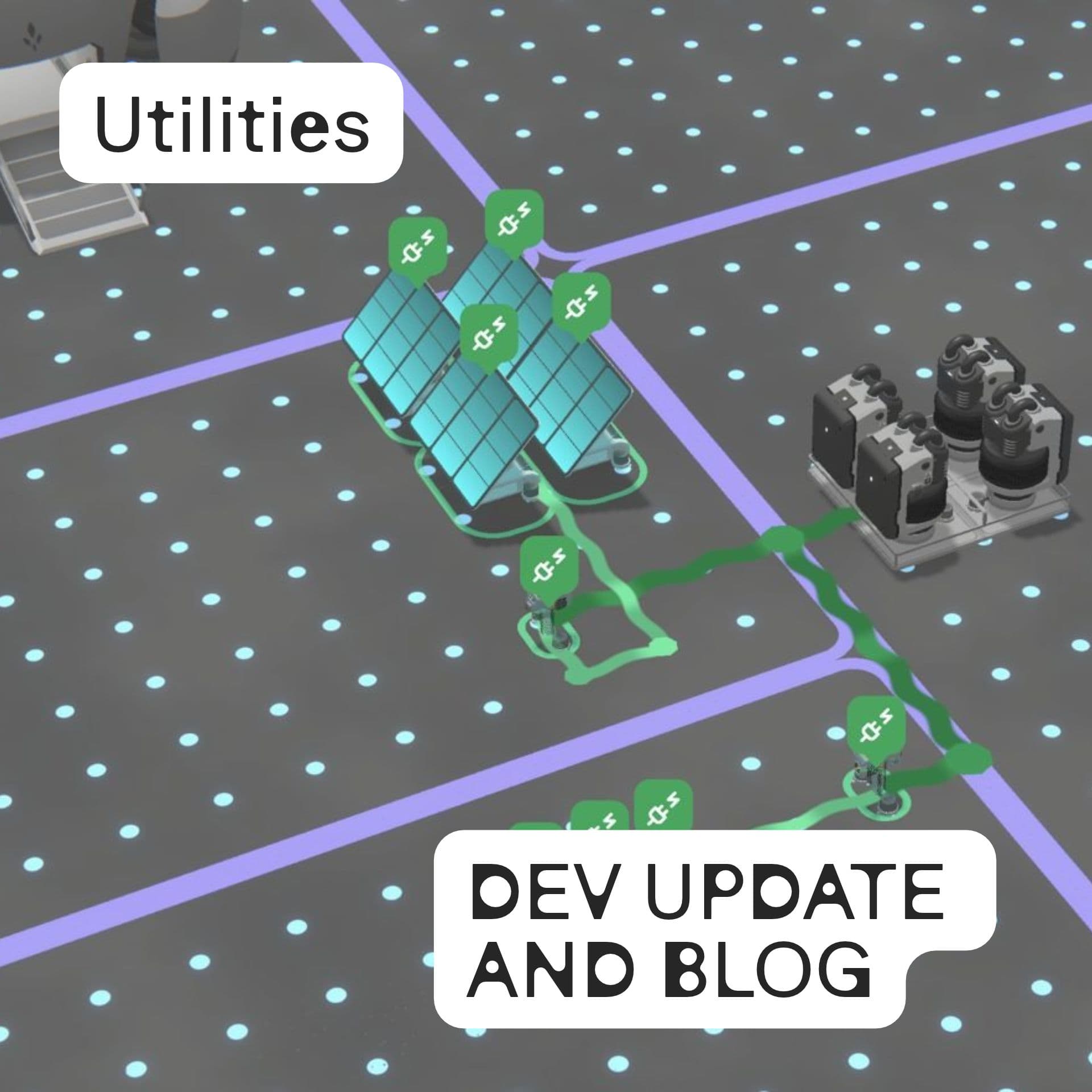
For the first 120 years of the Founders Era, Seed Industries could afford to supply all of the Eilo Archipelago with wireless, ether-driven power. Now that the population has reached its first milestone, this is no longer sustainable. Free, unlimited power will soon be turned off. Seed Industries will inform you about power shortages at least 2 weeks ahead. Below is the solution for self-sustaining power.
Utilities let you and your society be in charge of power generation and distribution. You place your own generators, lay power lines to your machines and buildings, and, together with your society, carry power from one plot to another.
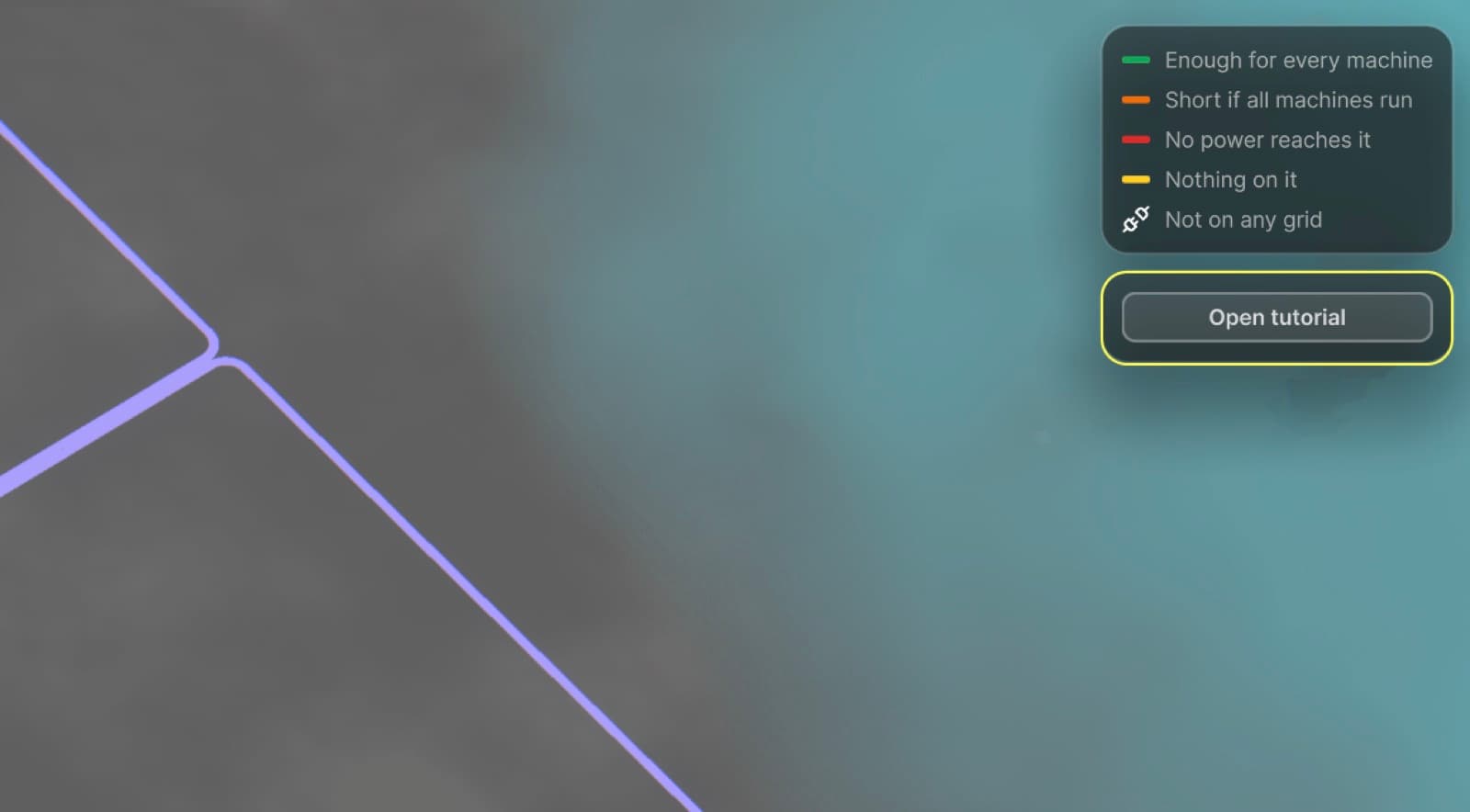
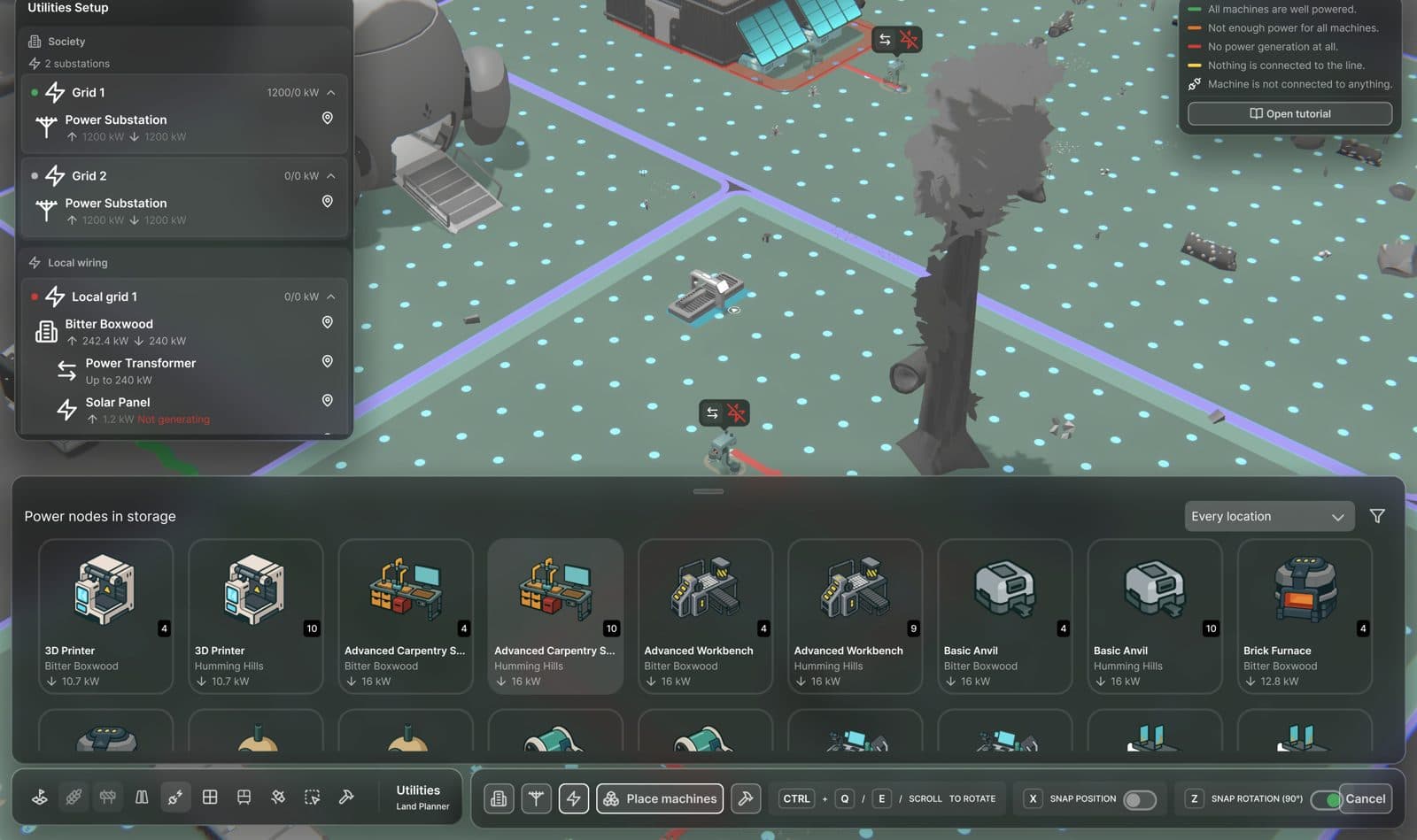
A new Utilities tab has been added to the Land Planner. Use it to access everything about power. The first time you open it, a short illustrated tutorial walks you through the basics, and you can reopen it at any time from the legend panel. PAM can answer your questions about power too.
What Changes
Before electricity becomes a hard requirement, you already have the tools and schematics to set up your power network. Soon, several machines will require electricity to work, so use this time to set up your network properly. Once electricity becomes a requirement, machines that need power will stop working if they are not connected to a powered network.
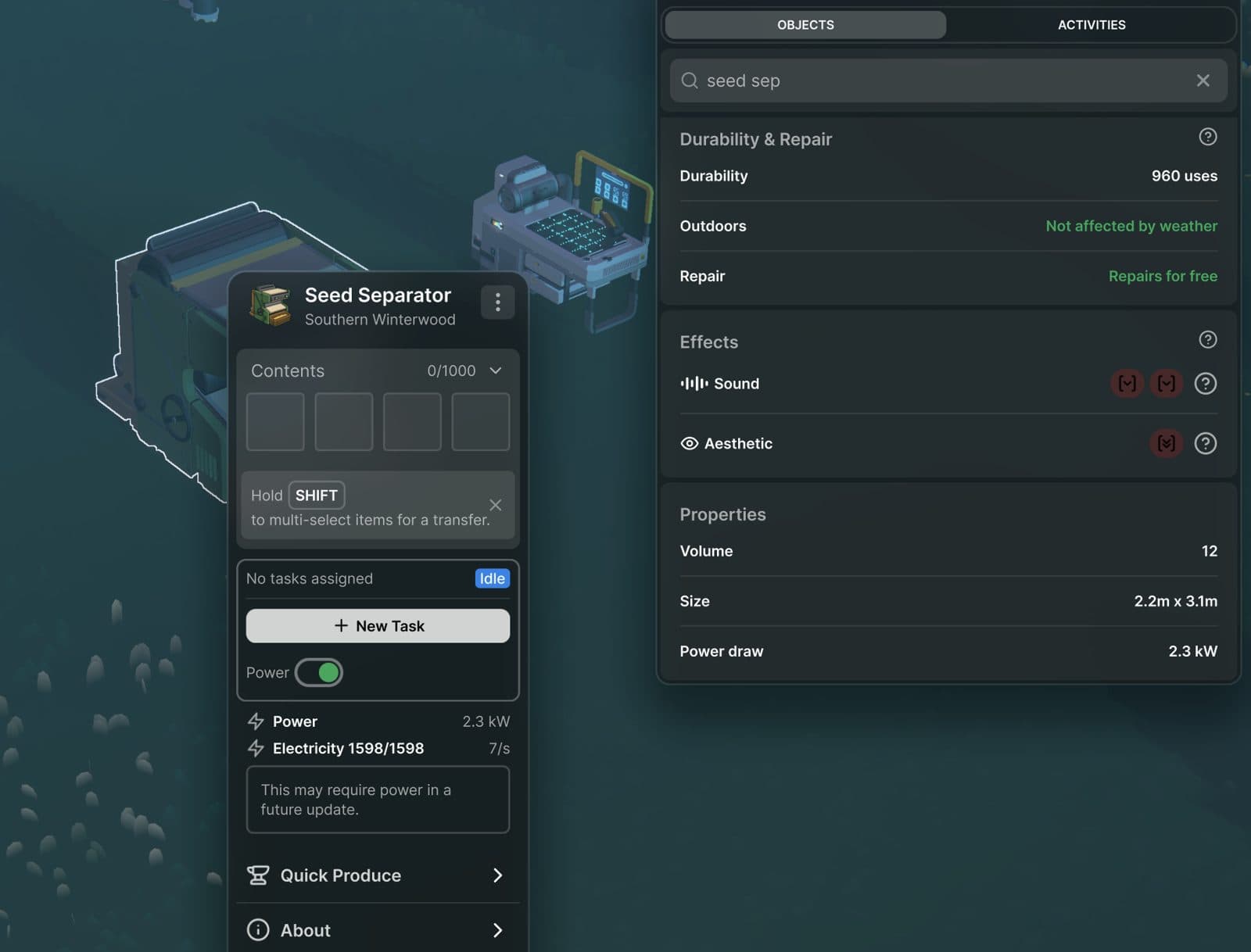
To check whether a machine needs power, see its requirements given in kilowatts (kW). It is shown in the Object Catalog's Properties panel and in the machine's context menu. Machines that burn fuel, such as campfires, work as before.
Making Power
Seed Industries has quickly developed two types of generators to get you started.
Solar Panels generate electricity between sunrise and sunset. They need no fuel, but produce nothing at night.
Fuel Generators burn fuel that your Seedlings bring to them, day and night. Choose the fuel from the generator's dropdown, which shows how much fuel each material adds.
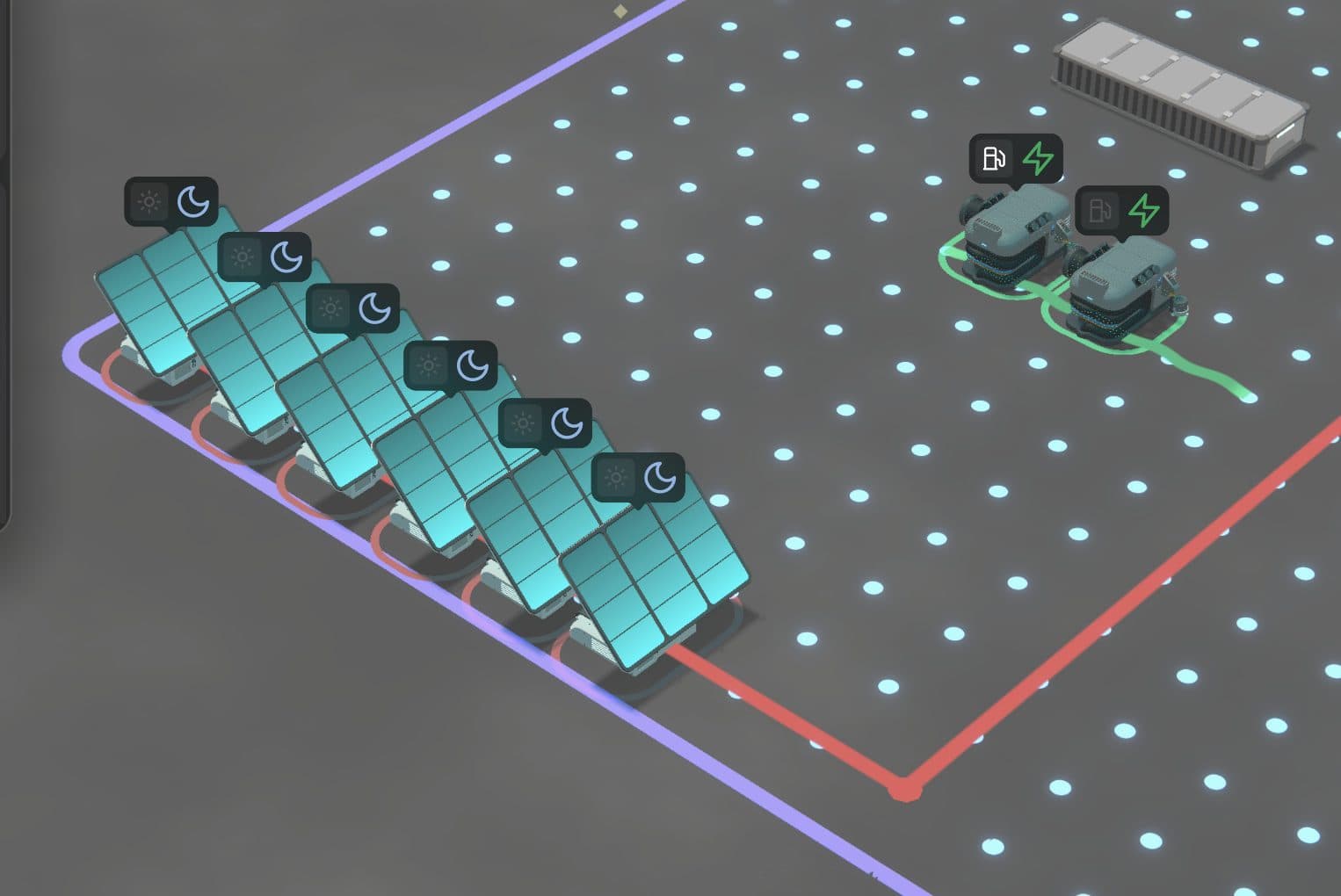
At night the Solar Panels rest, while the Fuel Generators keep running.
Powering Your Machines
In the Land Planner, open the Utilities tab and pick Local power to lay power lines on a plot you manage. Machines and generators placed adjacent to a line join the network. The shortest line is 2 m long. A Local power line cannot leave the plot that contains it, and cannot connect to anything outside that plot.
Lay out your lines, then press Apply changes. Nothing changes until you do, so you can try a layout first. Hold CTRL while dragging to erase.
If your generators and machines are in storage, Place machines lets you place them without leaving the Utilities tab.
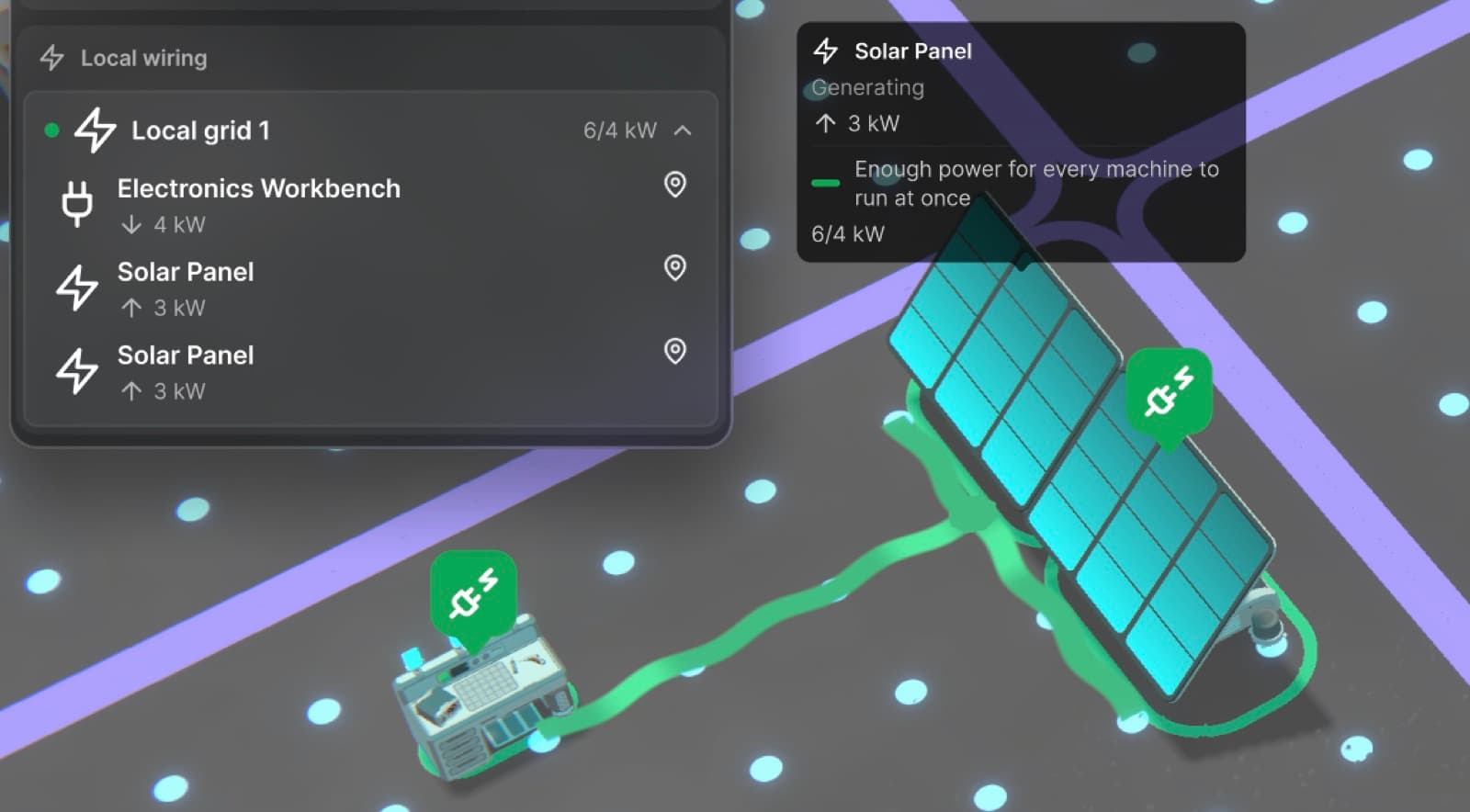
Two Solar Panels powering an Electronics Workbench on the same plot.
Powering Buildings
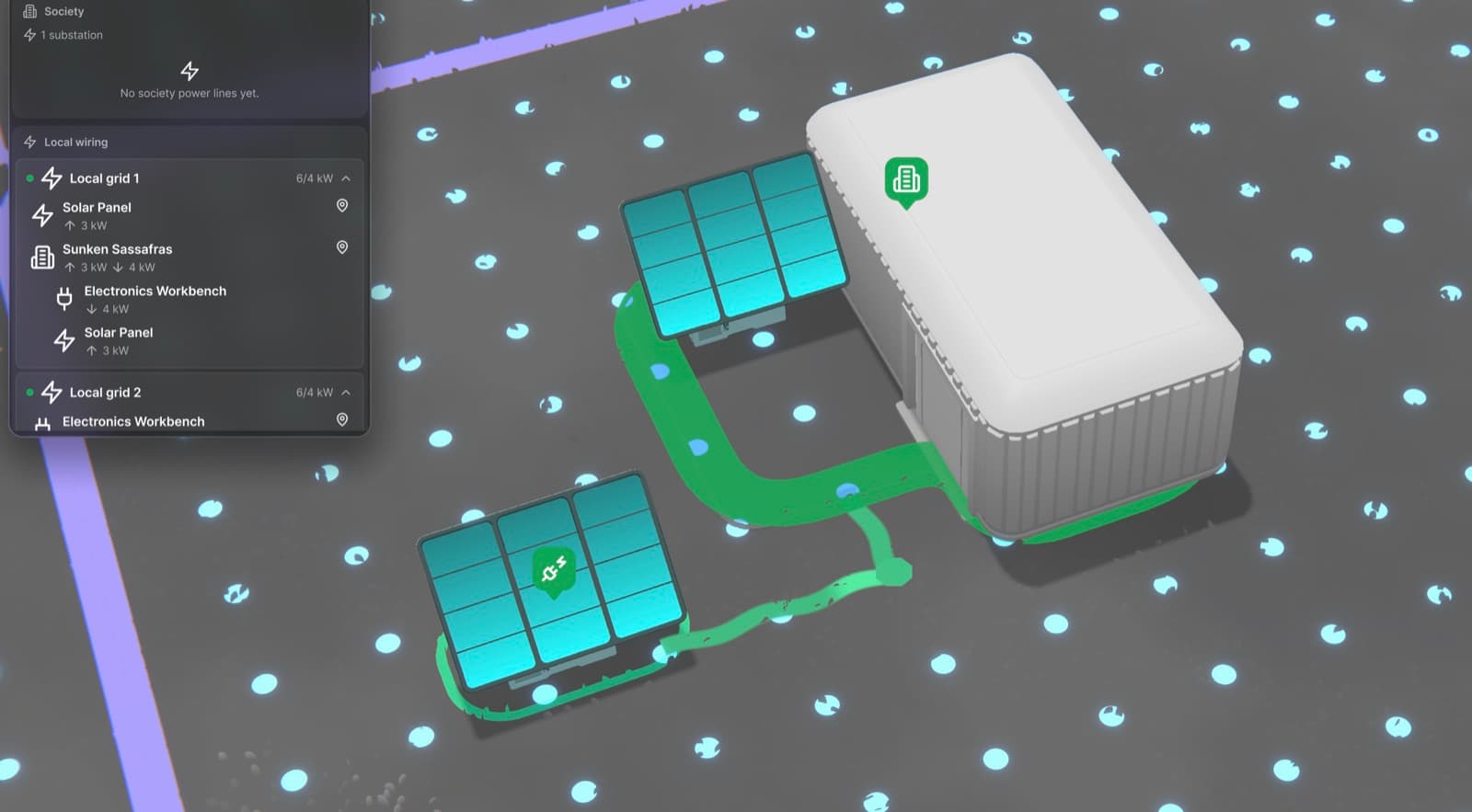
Machines inside a building are connected automatically on the building's own network. A Solar Panel on the building's outdoor blocks counts too.
If a building needs more power than it generates, lay a Local power line up to its outline to connect it to the network outside.
Click a building in the Utilities tab to open its interior and find the machines inside.
Sharing Power Across the Society
Local power stays on one plot. To carry power between plots, your society builds a shared network.
Power Substation
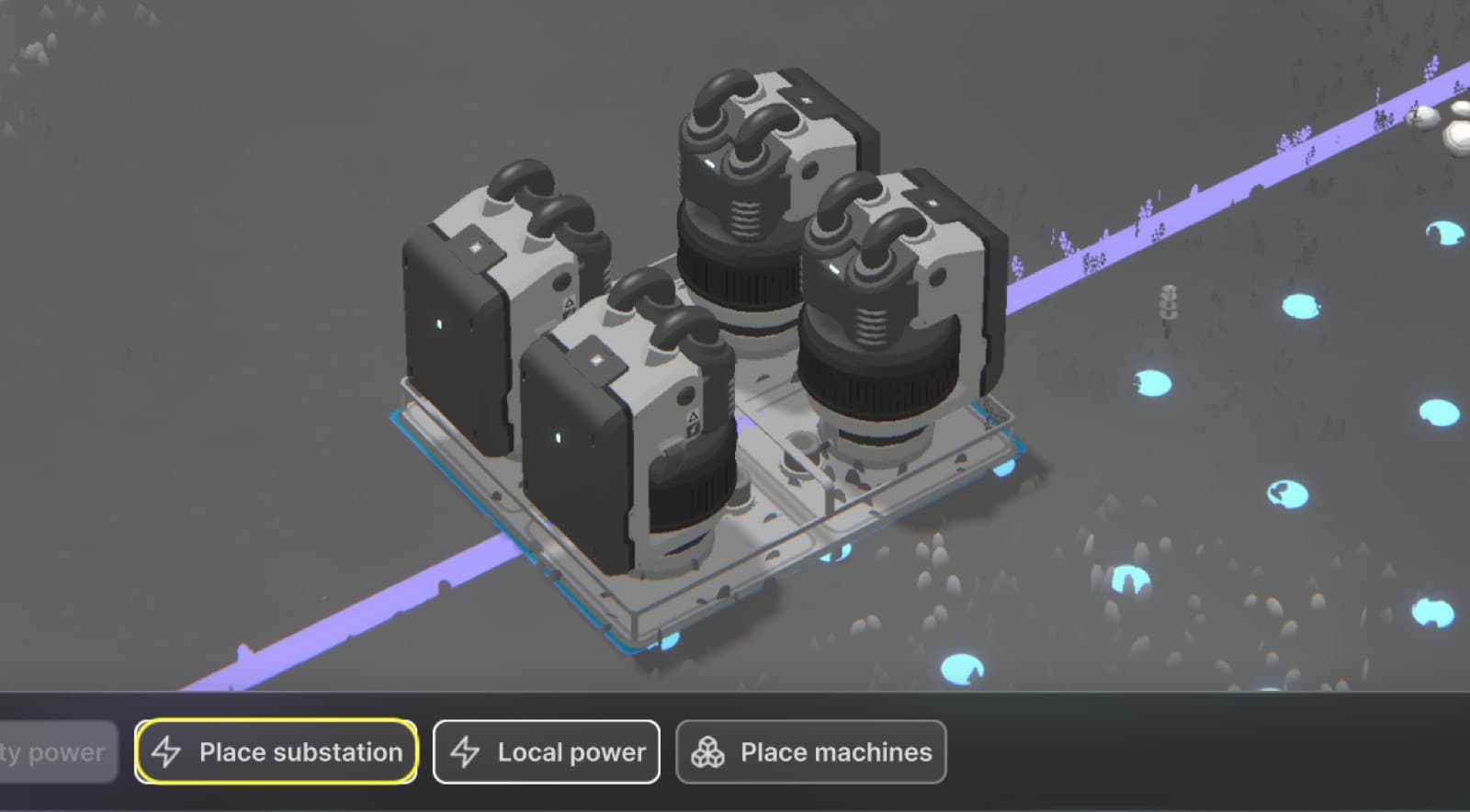
A Power Substation is the heart of the society's power network. It is a construction project for the whole society: the Utilities tab lists every substation under construction with its delivered and required resources, and you can cancel a construction from there. Once a substation is built, society administrators can lay Society power lines.
Society power lines
Society power lines run across the society's territory. To connect a Society power line to a Local power line, use a Power Transformer: it joins both lines. Without a transformer the two lines stay separate, even where they touch, and machines next to a Society power line get no power from it.
Power Transformers
To connect your plot to the society's network, place a Power Transformer on your plot, next to your Local power line. A society administrator then lays a Society power line to it. The transformer passes power both ways: your plot takes power from the society when it needs more, and shares its spare power when it has some.
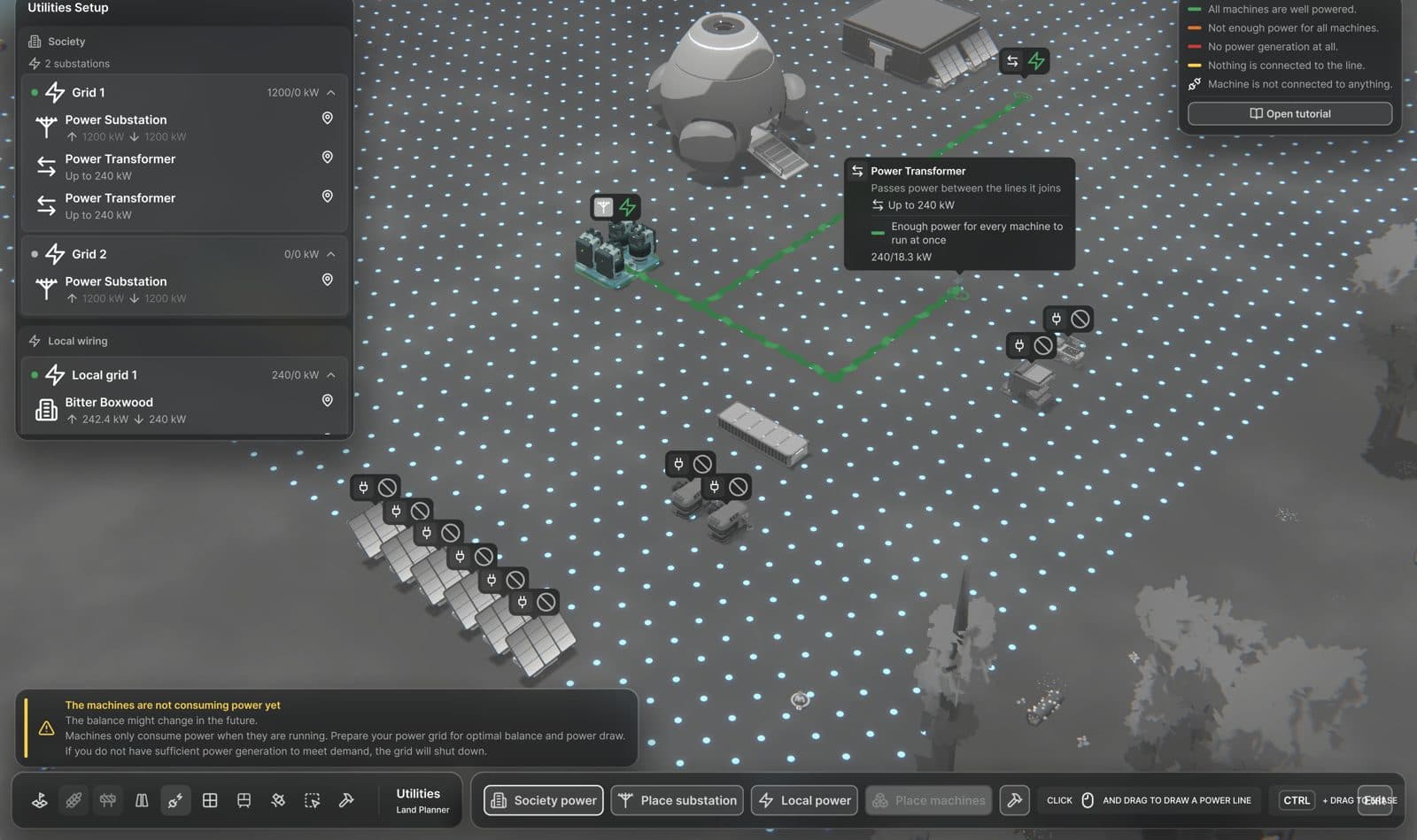
A Society power line carries power from the substation to the Power Transformers on two plots.
Reading Your Network
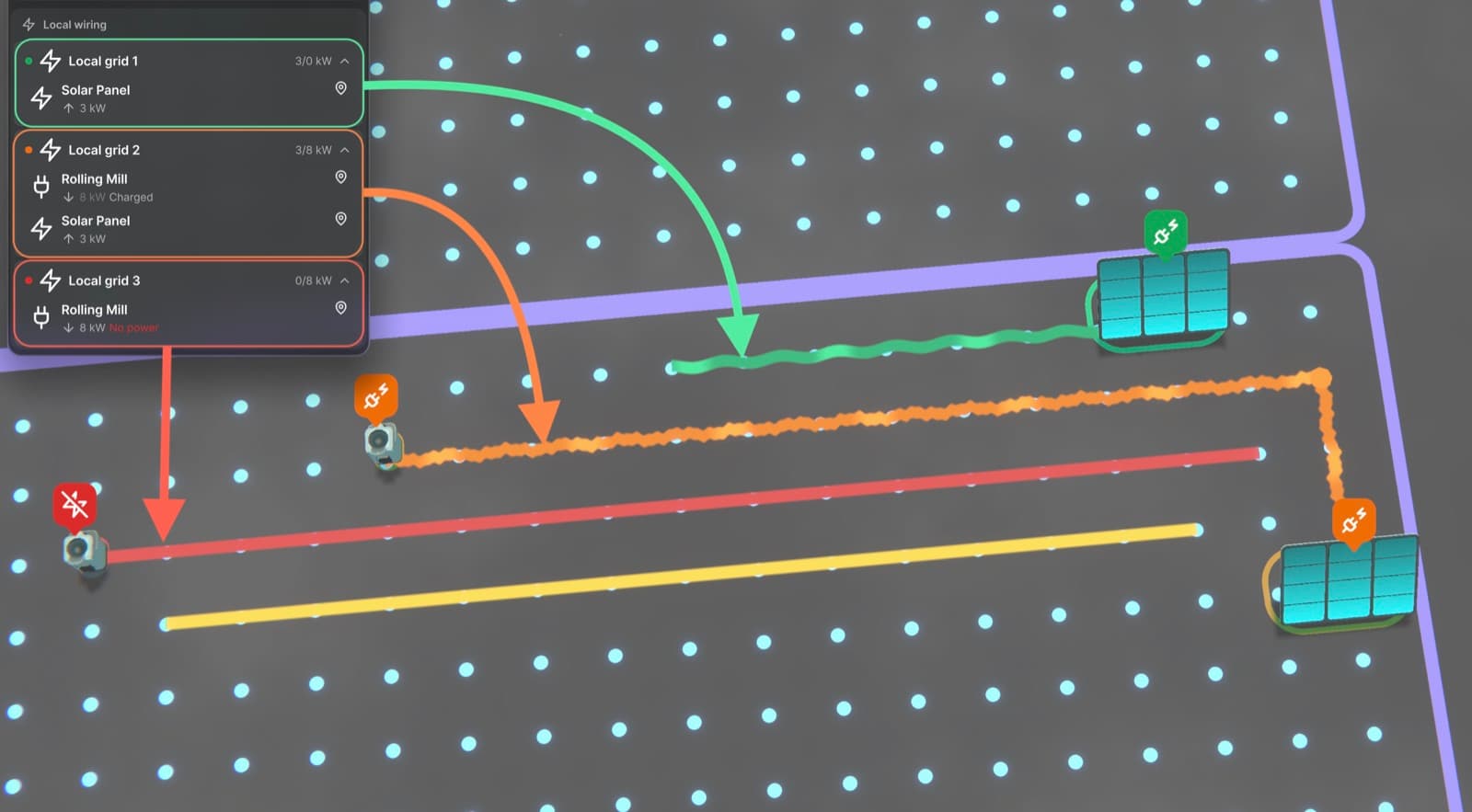
Each line is coloured by the status of its network, and the legend in the Utilities tab explains the colours:
Green: the network is well powered.
Orange: the full load of the network exceeds the power generated within it. You can still work with it, because machines consume power only while in use, but an overloaded network might have blackouts.
Red: the network has no power at all.
Yellow: the line exists, but is not connected to anything.
The panel on the left shows how much power each generator makes and each machine draws, and why a machine is not getting power. Hover the icon above a machine in the world to see the same.
What's Next
Power is the first of the utilities. Water and waste are next, and they will follow the same idea: a network you and your society plan and build together.
We will keep shaping utilities with your feedback. Tell us how your networks work out, and what you would like to build with them.